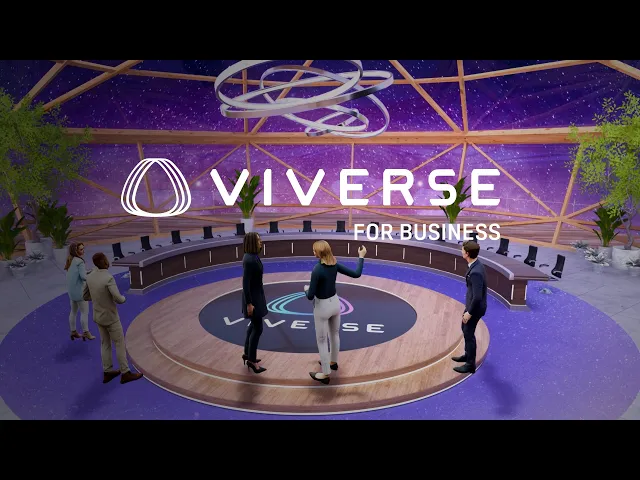
Immersive meeting tool
VIVERSE for Business that brings people together to collaborate, chat, meet, and share files in one secure, integrated workplace. It combines virtual conferencing and file storage, making it a comprehensive tool for both remote and in-office teamwork.
Company:
HTC
Role:
Senior UX&UI Designer
Year:
May 2022 - Nov 2024
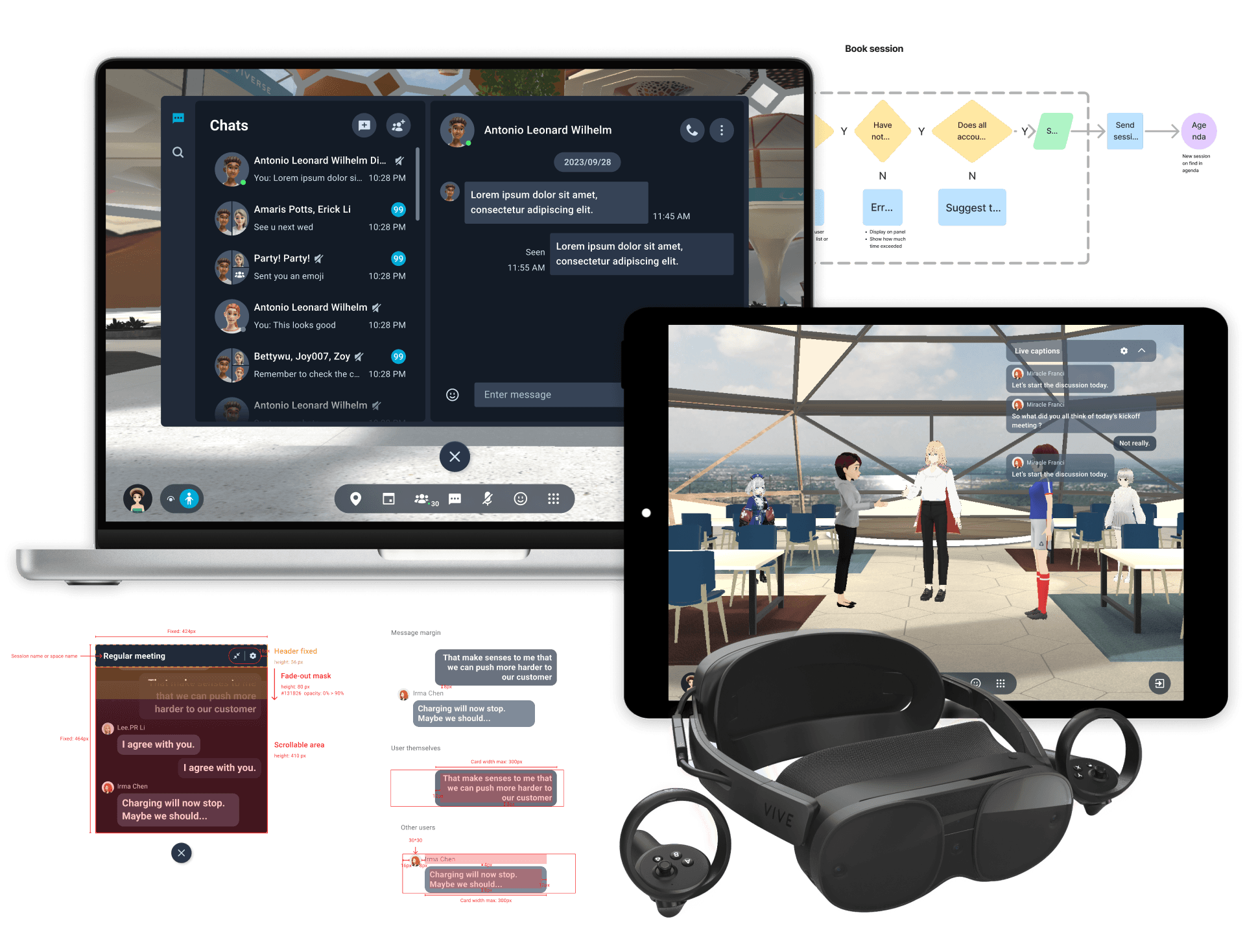
Overview - Immersive Collaboration, Meeting, and 3D Presentation
VIVERSE for Business is HTC's enterprise metaverse platform designed to facilitate immersive collaboration, virtual meetings, and 3D workspace solutions. It aims to provide businesses with tools to create and manage virtual environments for training, collaboration, and customer engagement.
Product Goals
SMOOTHLY ACCESS
Allow users to smoothly access virtual meetings through VR
CROSS-PLATFORM
Supports cross-platform meeting setup to let users join the meeting with any device
INTRODUCED AI TOOLS
Introduced Azure AI tools to help users participate in meetings without language barriers
The Challenge - No Product Requirement
It was an urgent 0 to 1 product initiative without a finalized requirement document. The scope was broad, timelines were tight, and key details such as user roles and permissions were unclear.
To move forward efficiently, I adopted a partial release approach, delivering design outputs in phases while maintaining close alignment with the PM through constant communication. I conducted light competitor research, mapped user flows, and translated ambiguous requirements into clear interaction logic—covering roles, permissions, and meeting behaviors.
This approach improved cross-team alignment, clarified product logic, and established a shared understanding of role relationships and system behavior—enabling smoother collaboration between design, product, and development teams under tight deadlines.
The Team
1
Product Manager
2
UX&UI Designers
1
Visual Designer
25
My Role - What I Did as a UX & UI Designer
DESIGN PROJECT LEADER
Early stage project prioritized work with Product Manager, doing cross-team and cross-function communications
PRODUCT RESEARCH
Early stage project prioritized work with Product Manager, doing cross-team and cross-function communications
UX DESIGN
Plan the product's information architecture, simplify complex situration and role relationships, design the user flow, create prototypes, and deliver UX design specifications.
UI DESIGN
Co-work with the visual designer to build the product design system, use the colors patterns and components from the universal design system on the interface,and design an intuitive interface layout for the product.
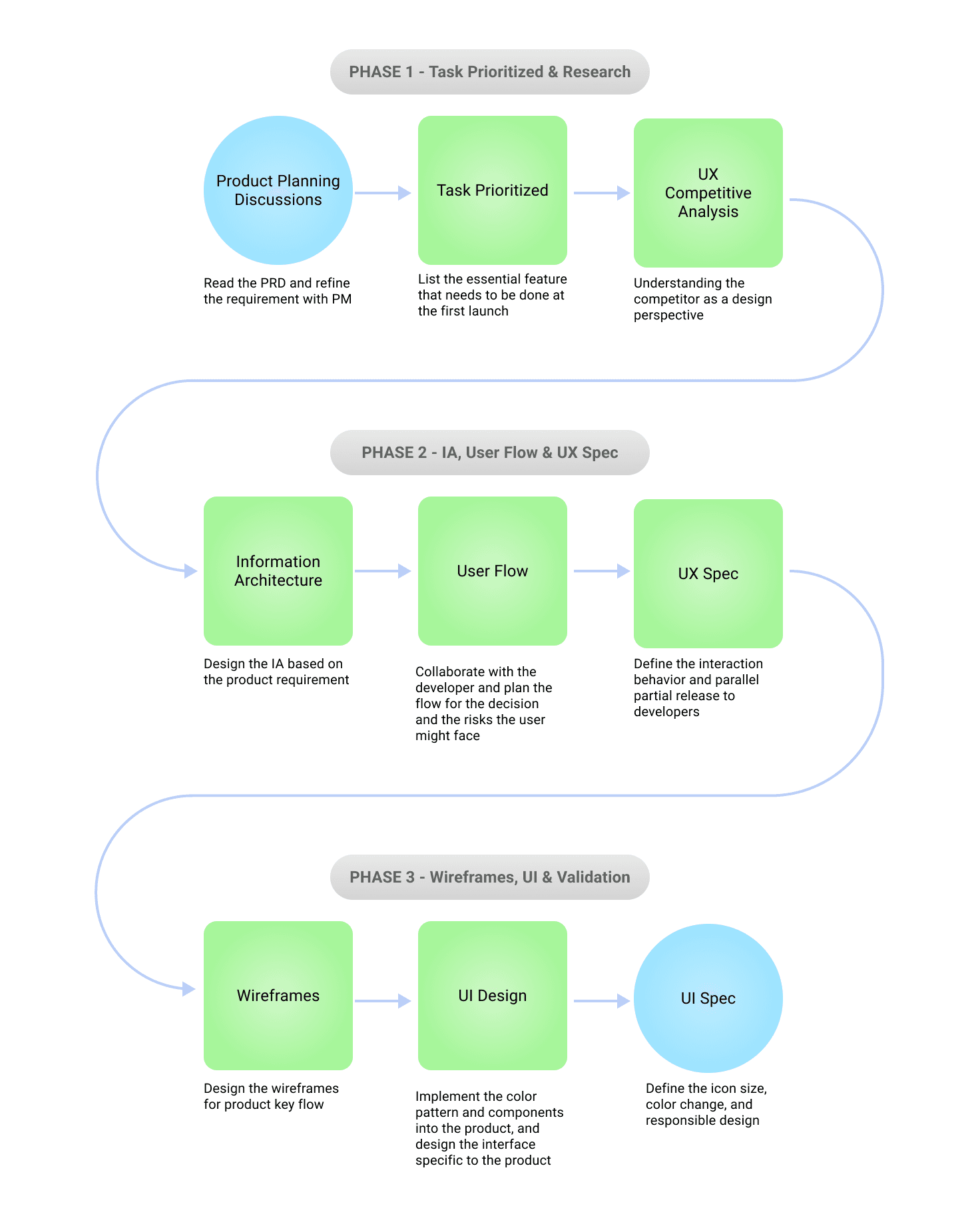
PHASE 1 - Research & Task Prioritized
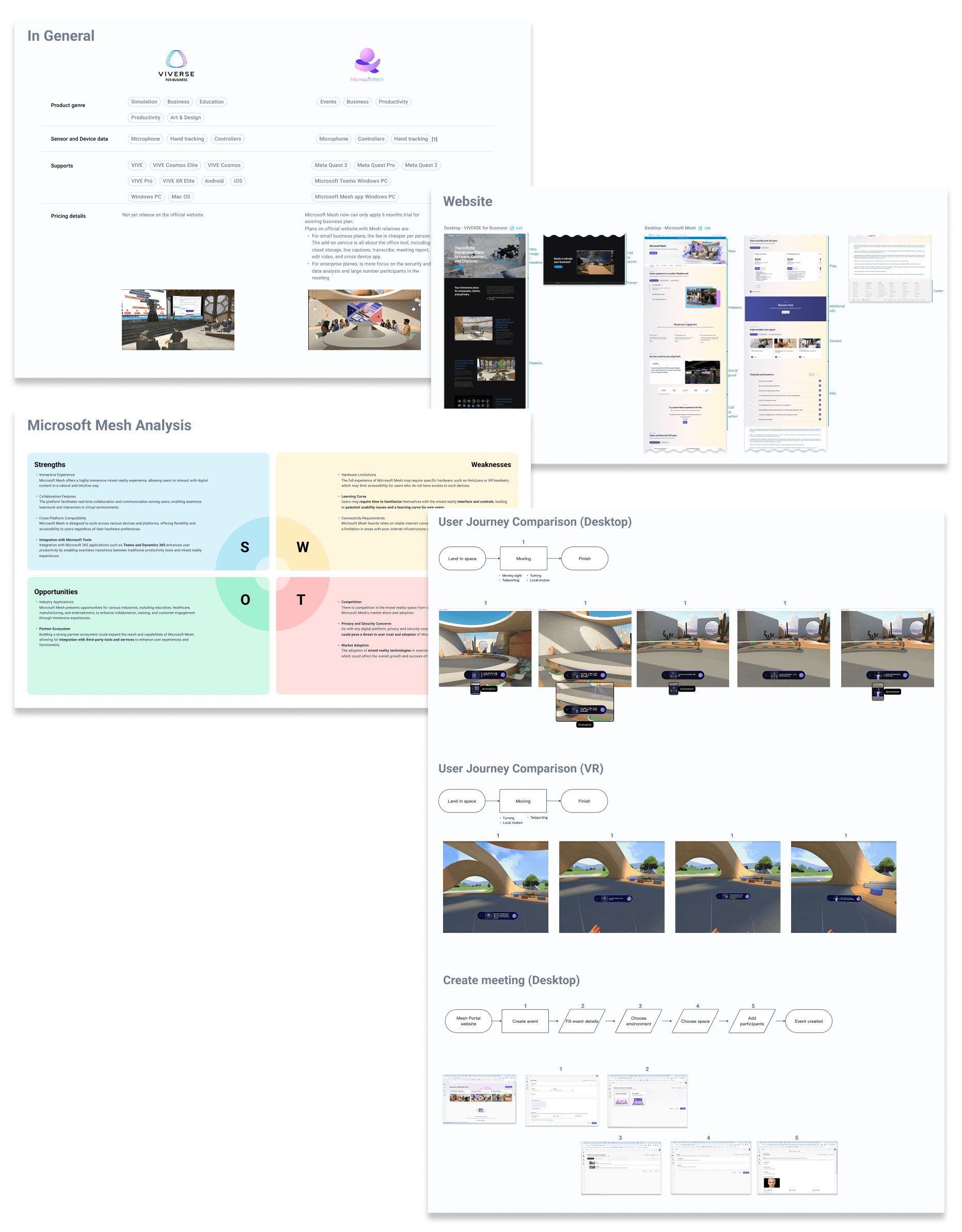
To understand the competitor product, I actually used the Mesh and analyzed how they transitioned from cross-platform and joined the meeting
TASK PRIORITIZED
PM listed many features in the requirement. Since there were too many of them, I listed the importance of the feature and discussed the priority of task production.
We first focus on the core experience: the features that will be used in the booking and joining the meeting.
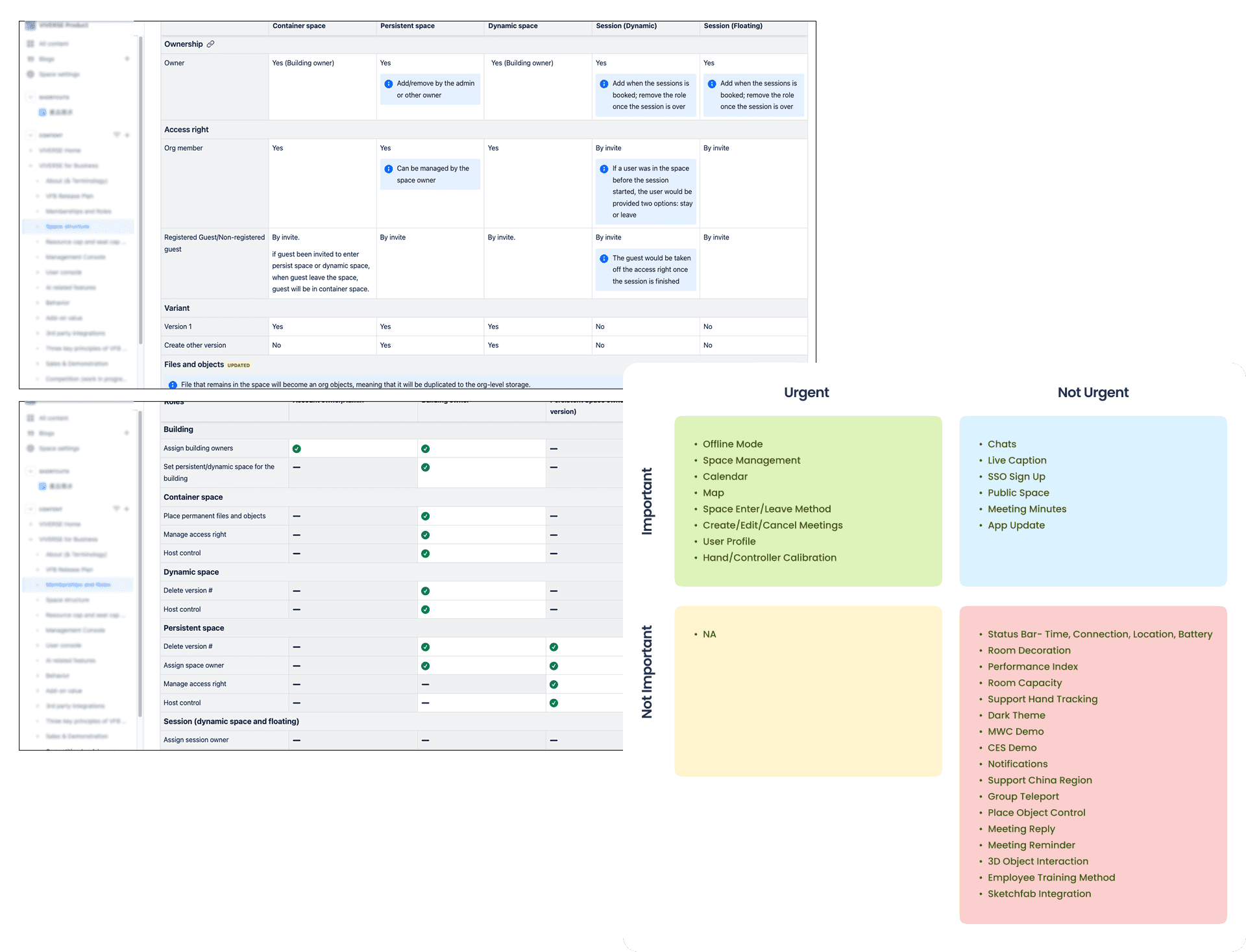
I use the 4 quadrants to help us split the phases, based on the requirement discussion with the product and the engineering manager.
PHASE 2 - IA, User Flow, UX Spec & Wireframes

I made an IA to help me organize, structure, and label content in a way that makes it easy to find and understand, ensuring users can navigate a system effectively.
Guide Map - My Life Saver
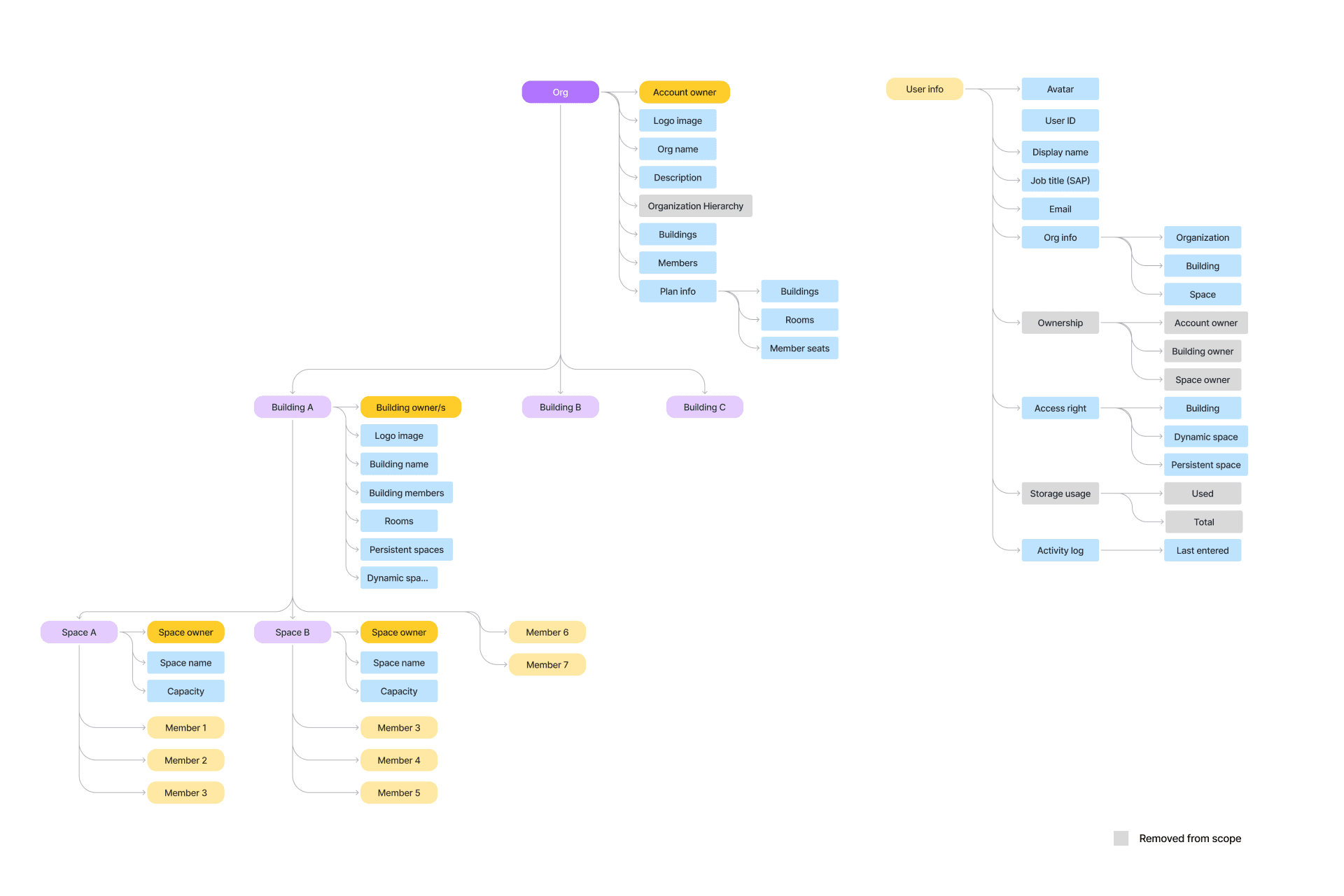
By the side, under the requirement frequently changes, I drew this map to explain the product architecture and role relationships, ensuring team member on the same page with the PM. I also share this guide map to help the new join designers get up to speed quickly on the project.
Product User Flows
I focused on designing user flows that set clear user needs with PM, aligned information with the product team, and reduced confusion. Let's go through it:
Join / Leaving Meeting
Defined role-based key user flow, such as entry permissions, transition definition, and leaving behaviors by each role hierarchy.
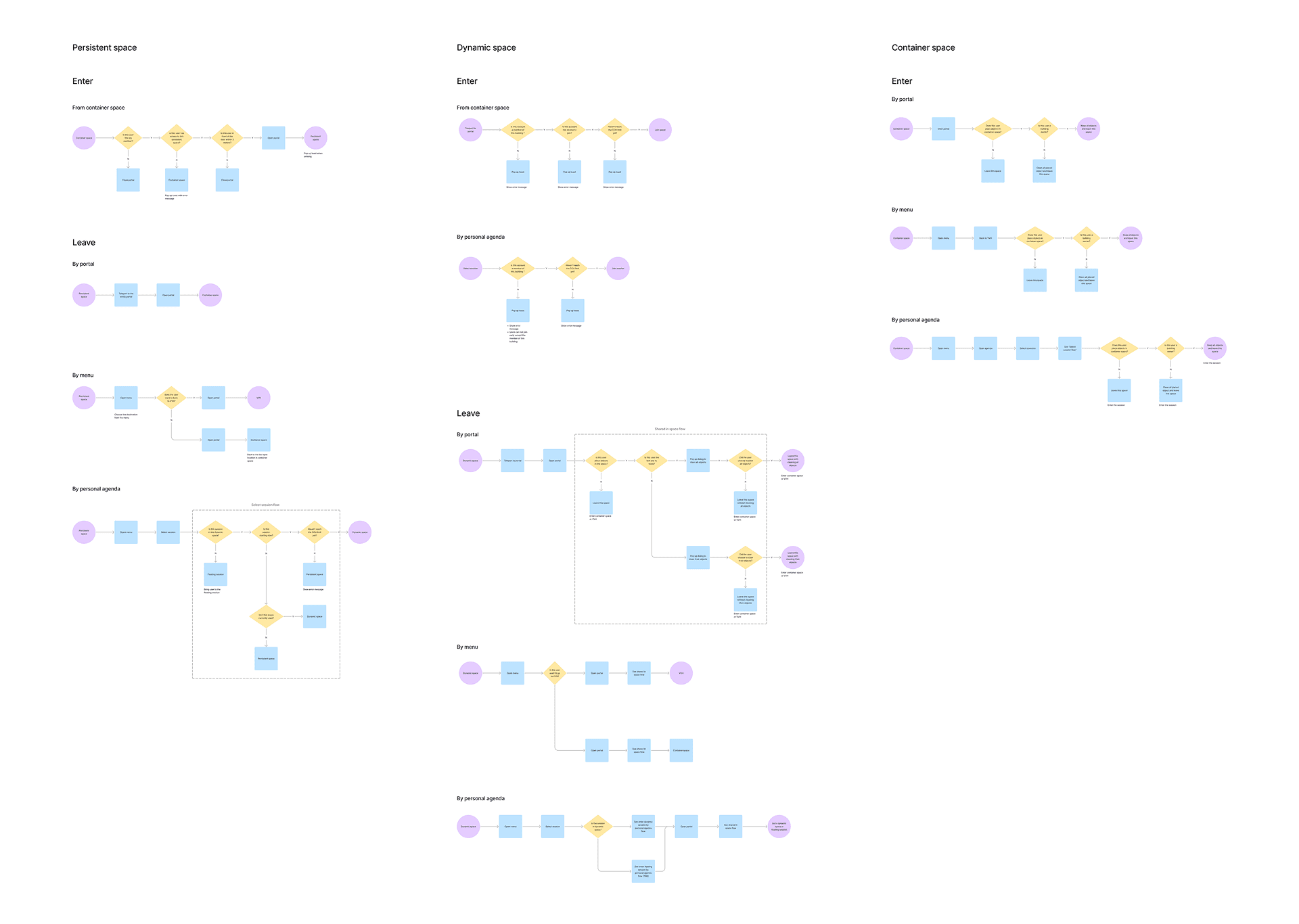
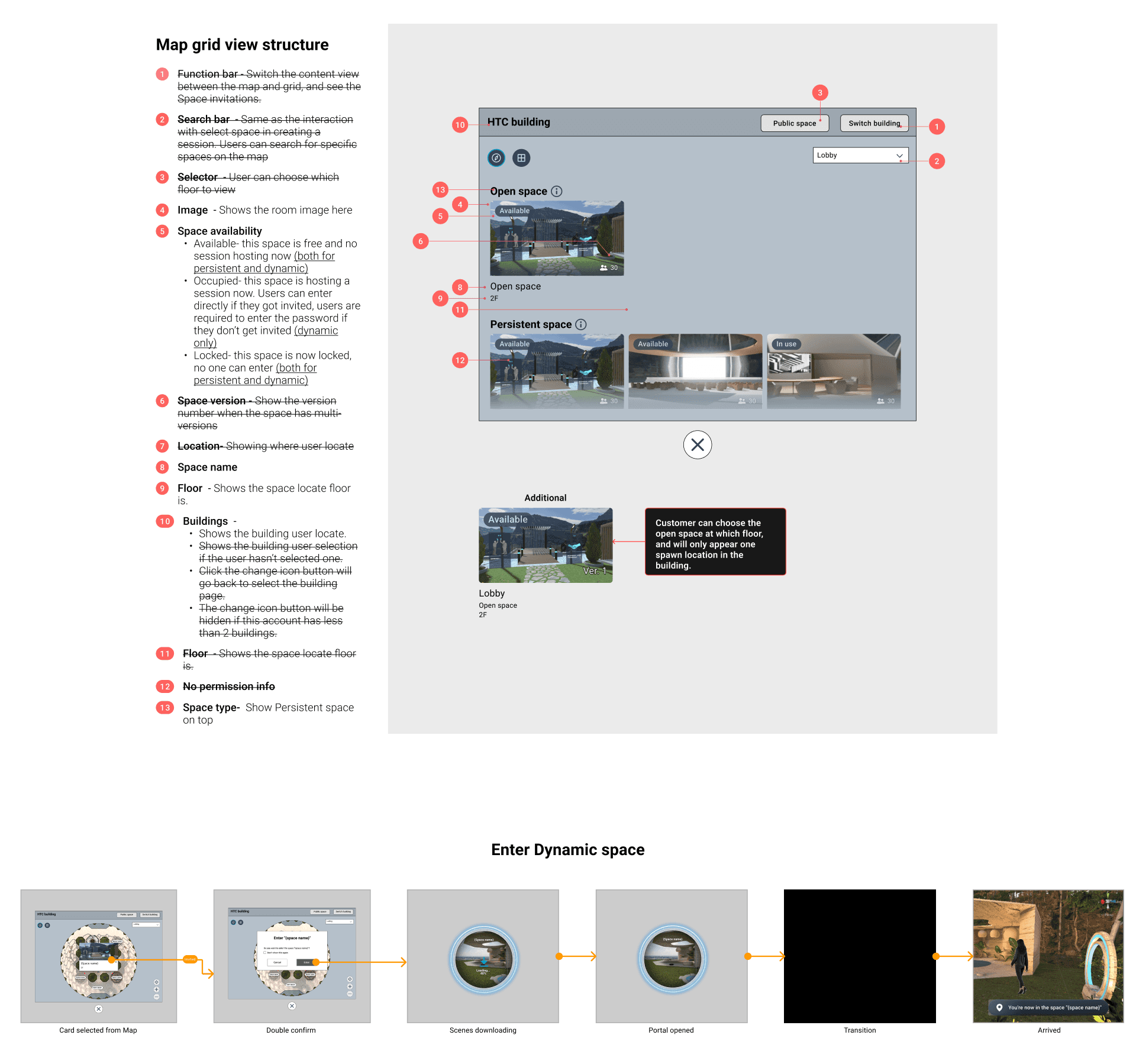
Enter a meeting room - Low fidelity user flow
Booking / Editing / Canceling Meetings (User flow)
Streamlined calendar integration and made the interface simple for both VR and non-VR participants.
The create meeting flow is unlike most online meeting flows.I decided to display the room information early (room image and capacity) when booking a meeting, which can help users make choices more easily.
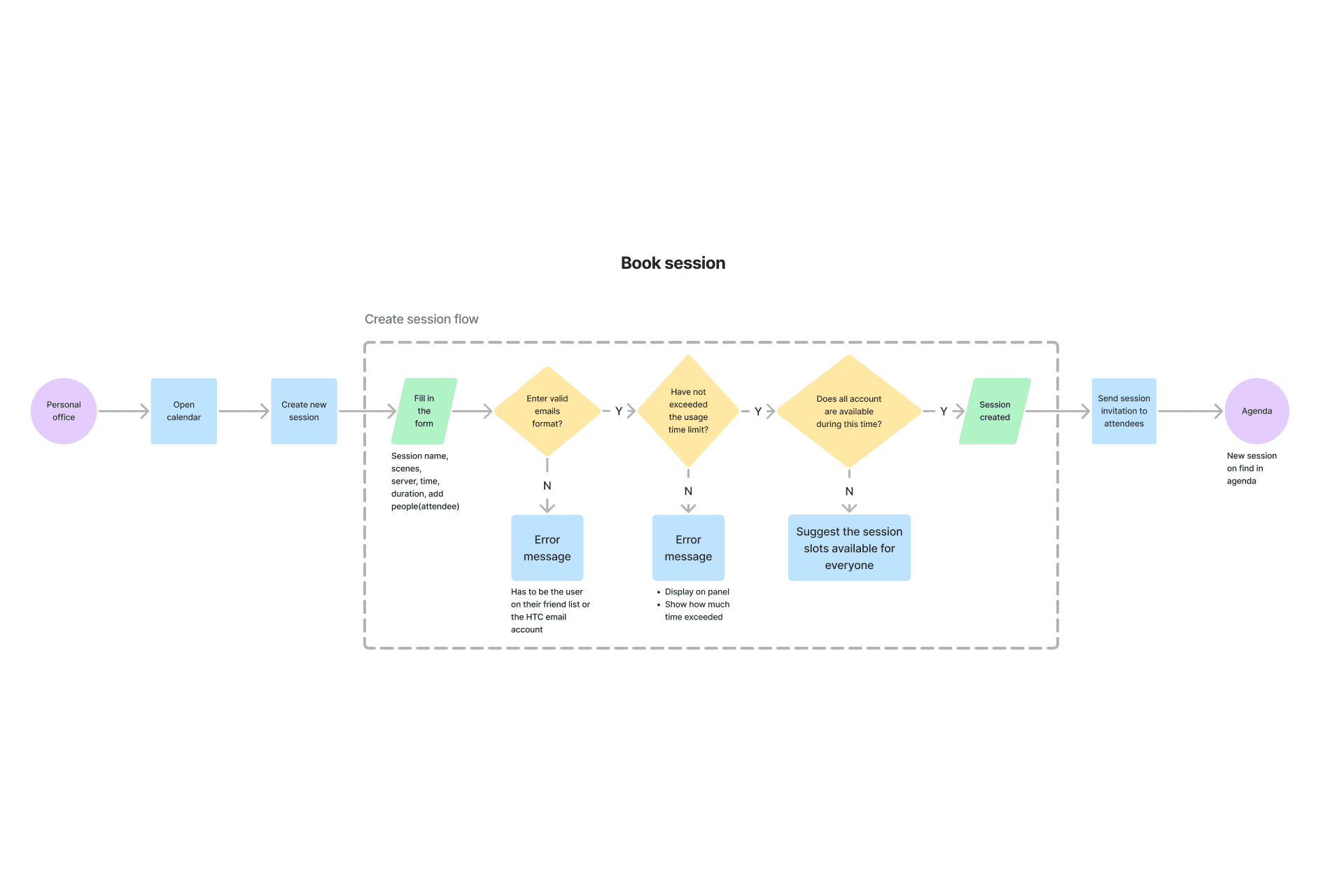
The use case shows how to create a meeting from the Calendar.
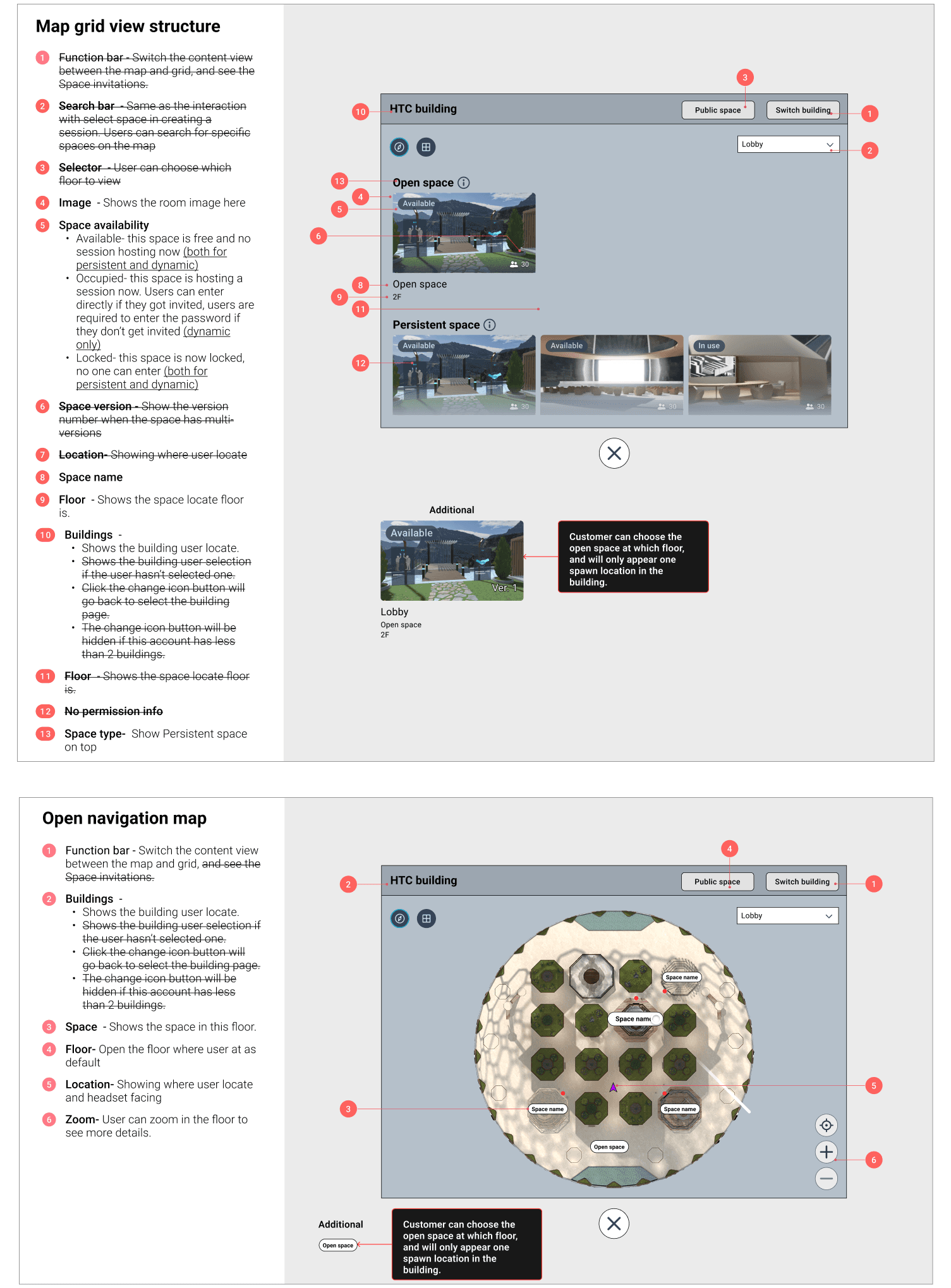
Map Navigation (Wireframes)
This map give users access to multiple buildings and rooms, allows users to not only view their current location but also switch between buildings for quick travel.
I also added the real-time online user number for scalable solution usage for future public events, so users can choose to enter the room by the room population.
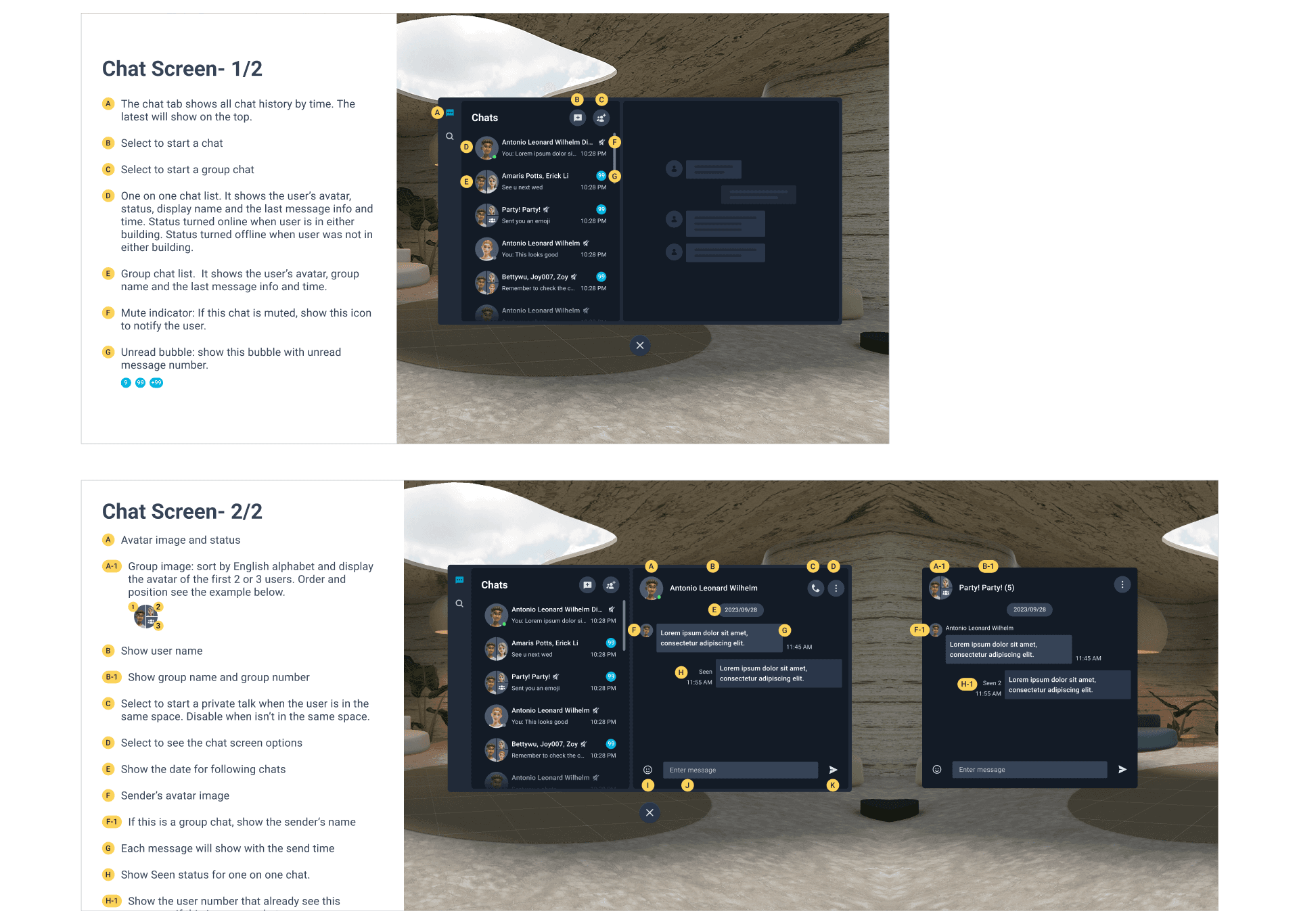
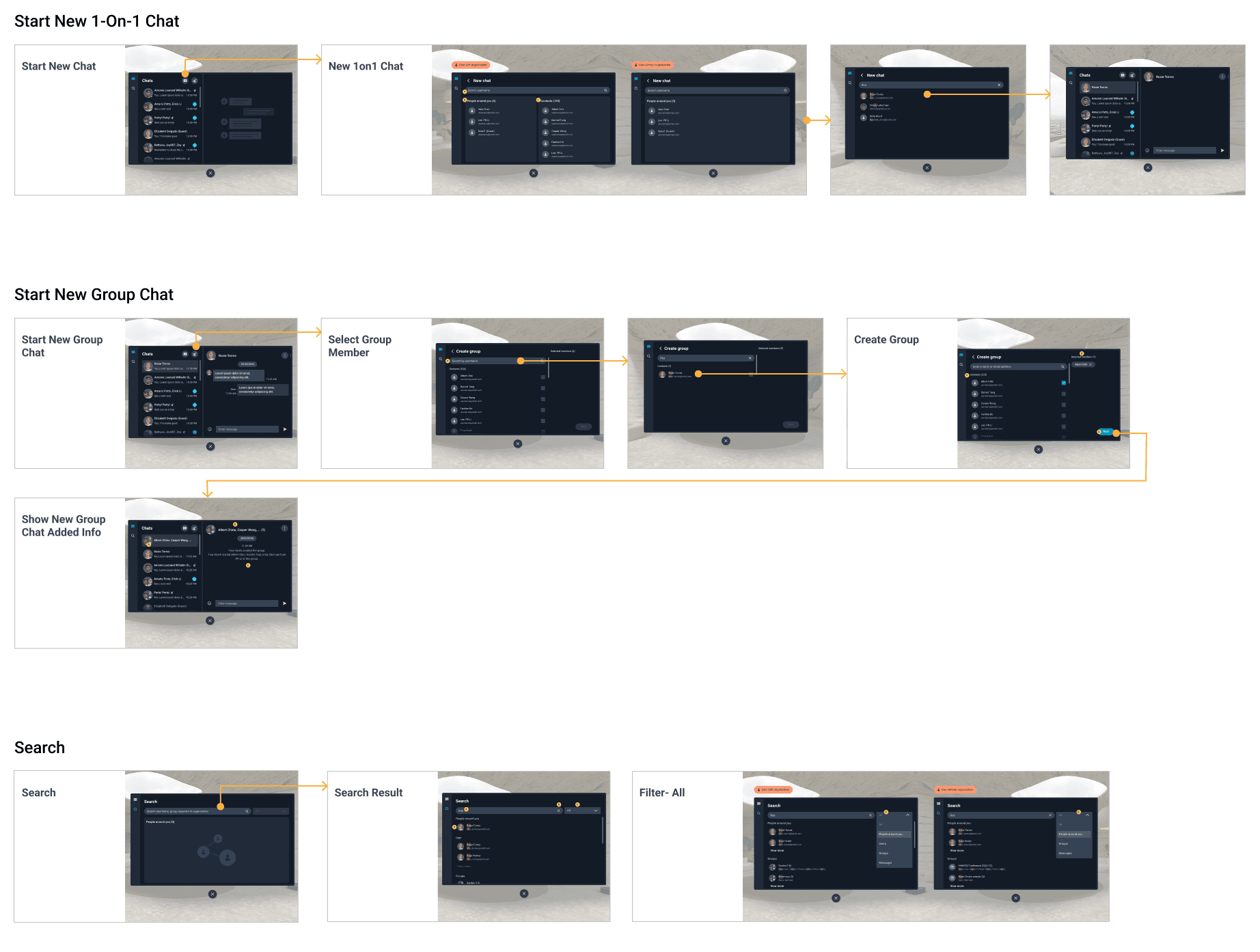
Chats (Wireframes)
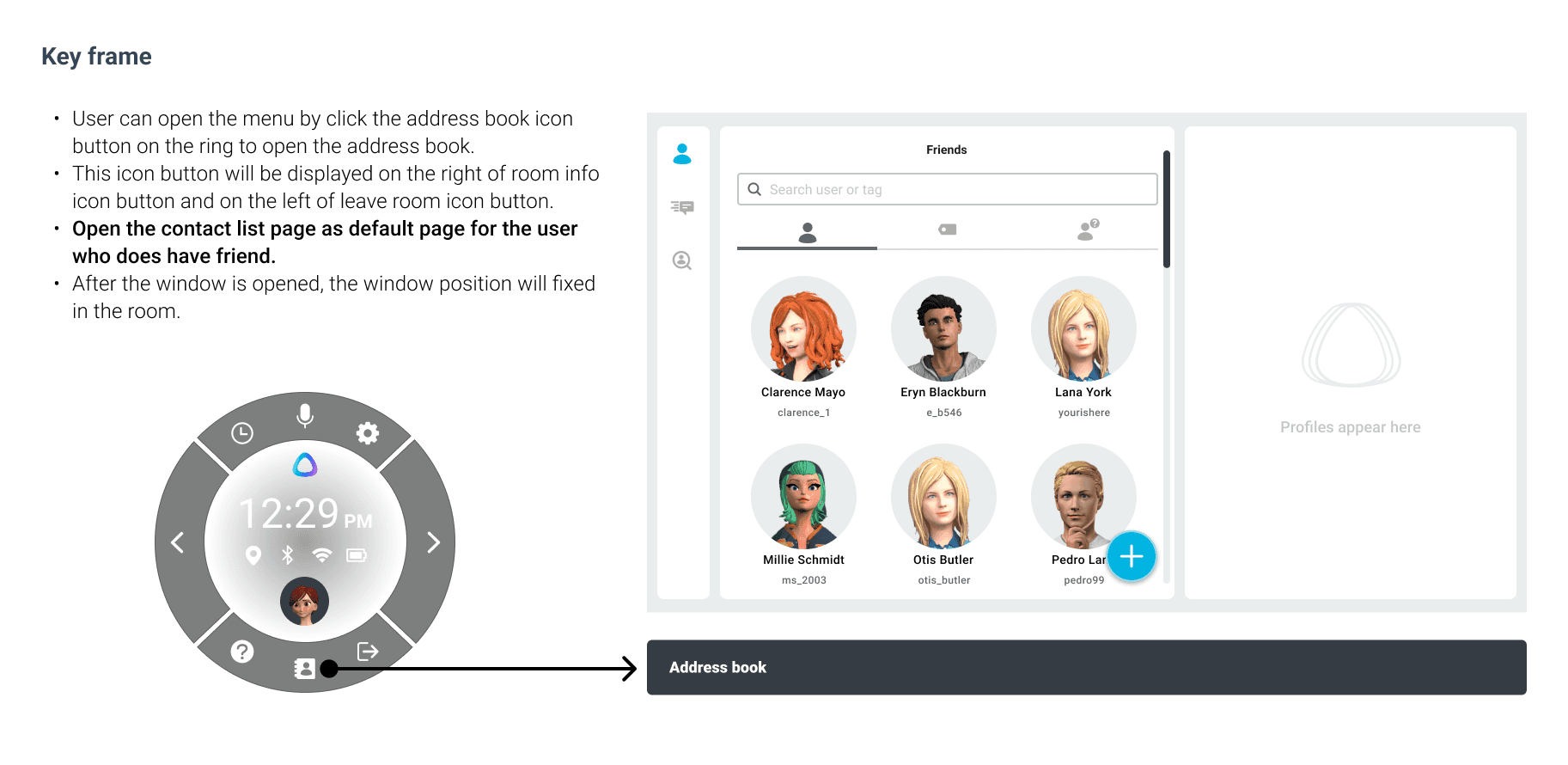
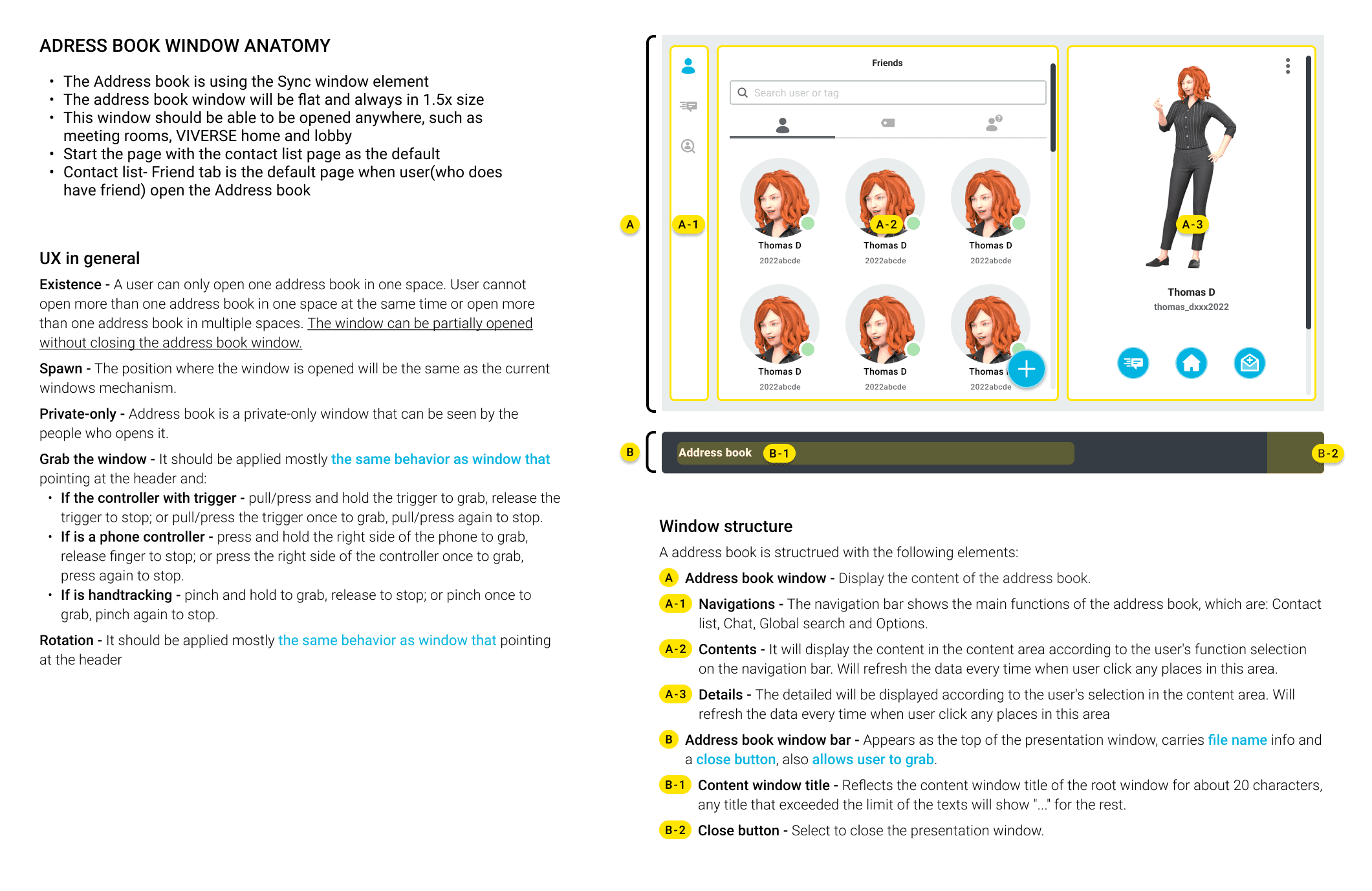
Combined text message and voice calls in a single accessible interface for real-time and async communication.
This is a late-production feature. We've noticed that users often miss the messages from desktop while in the virtual meeting, often having to take off their VR device to check in.
Eventually, we hope to add a communication tool that allows users to contact with colleagues in VR without switching between devices.
PHASE 3 - Hi-Fi Interface & Validation
Design validation for the essential user flow to enter a meeting room
Booking / Editing / Canceling Meetings
Streamlined calendar integration and made the interface simple for both VR and non-VR participants.
The create meeting flow is unlike most online meeting flows. Since it's a virtual world, it is better if users know where they want to host and the room capacity when scheduling.
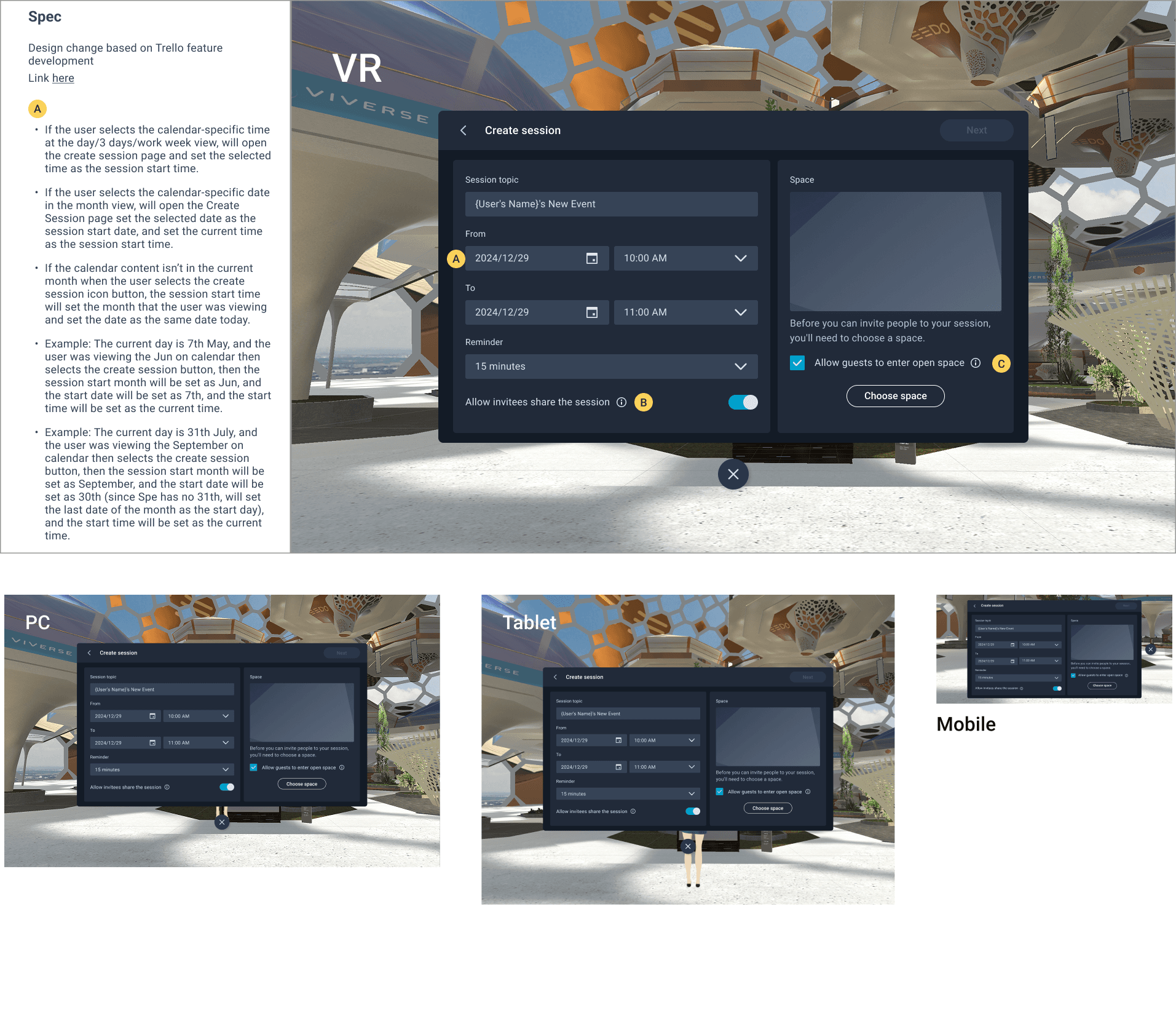
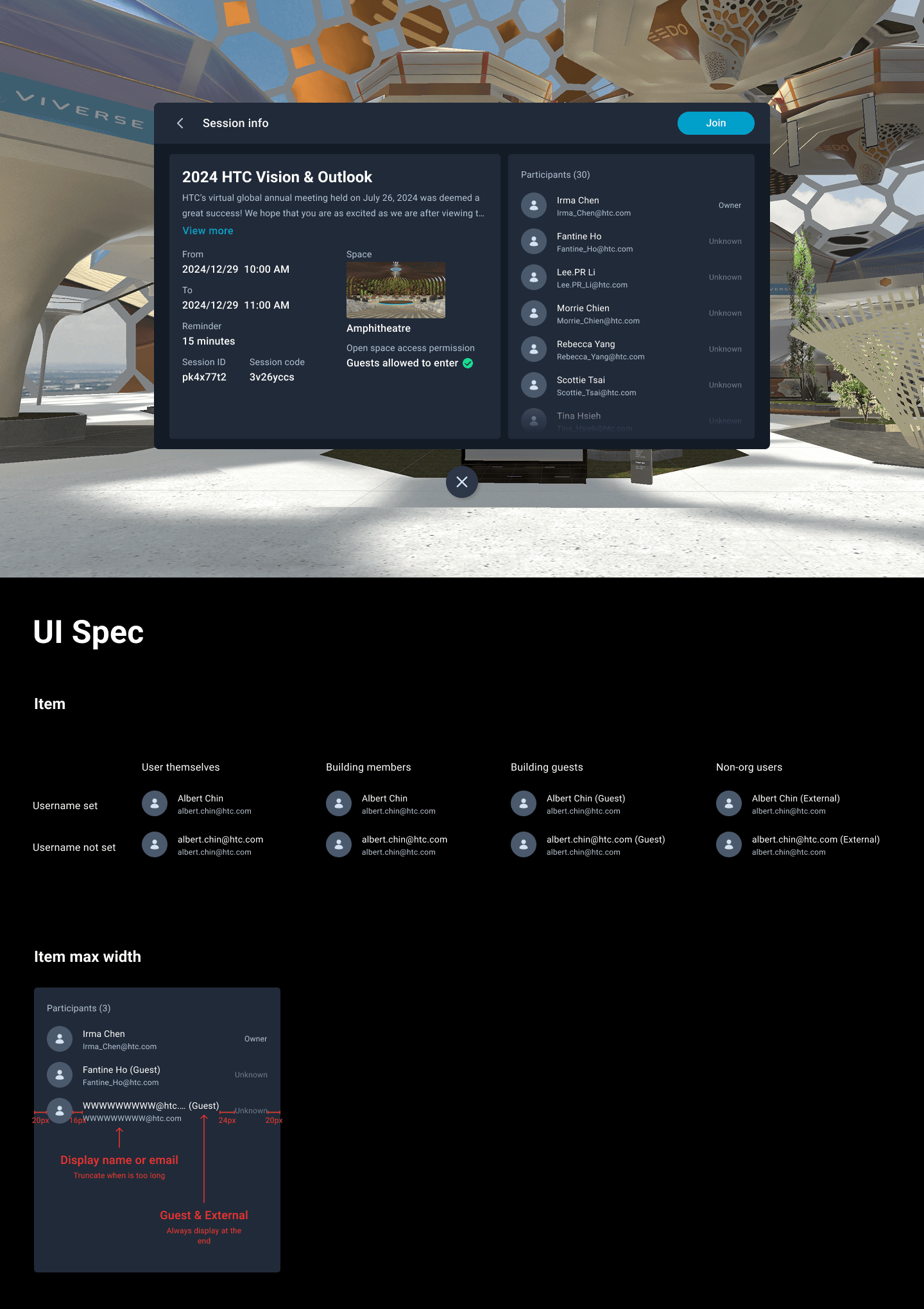
Due to the designer shortage, I was also responsible for some of the UI design.
AI Live Captions – Implement the Azure AI tool to enhance the speech recognition technology for inclusivity in enterprise VR.
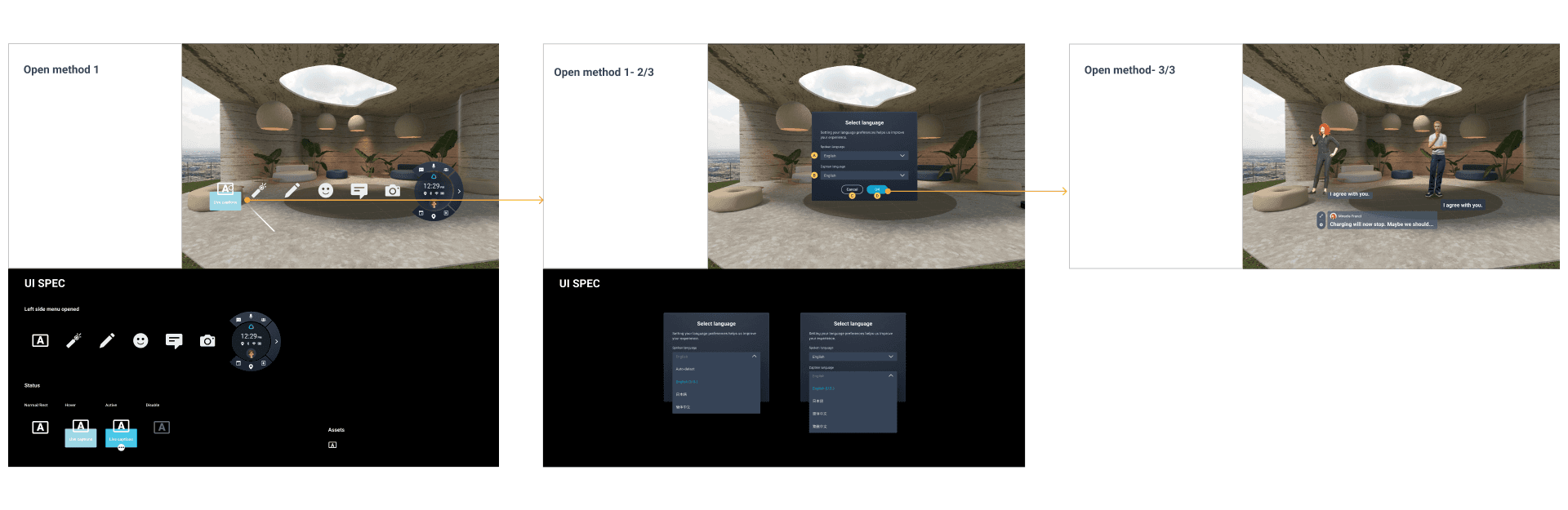
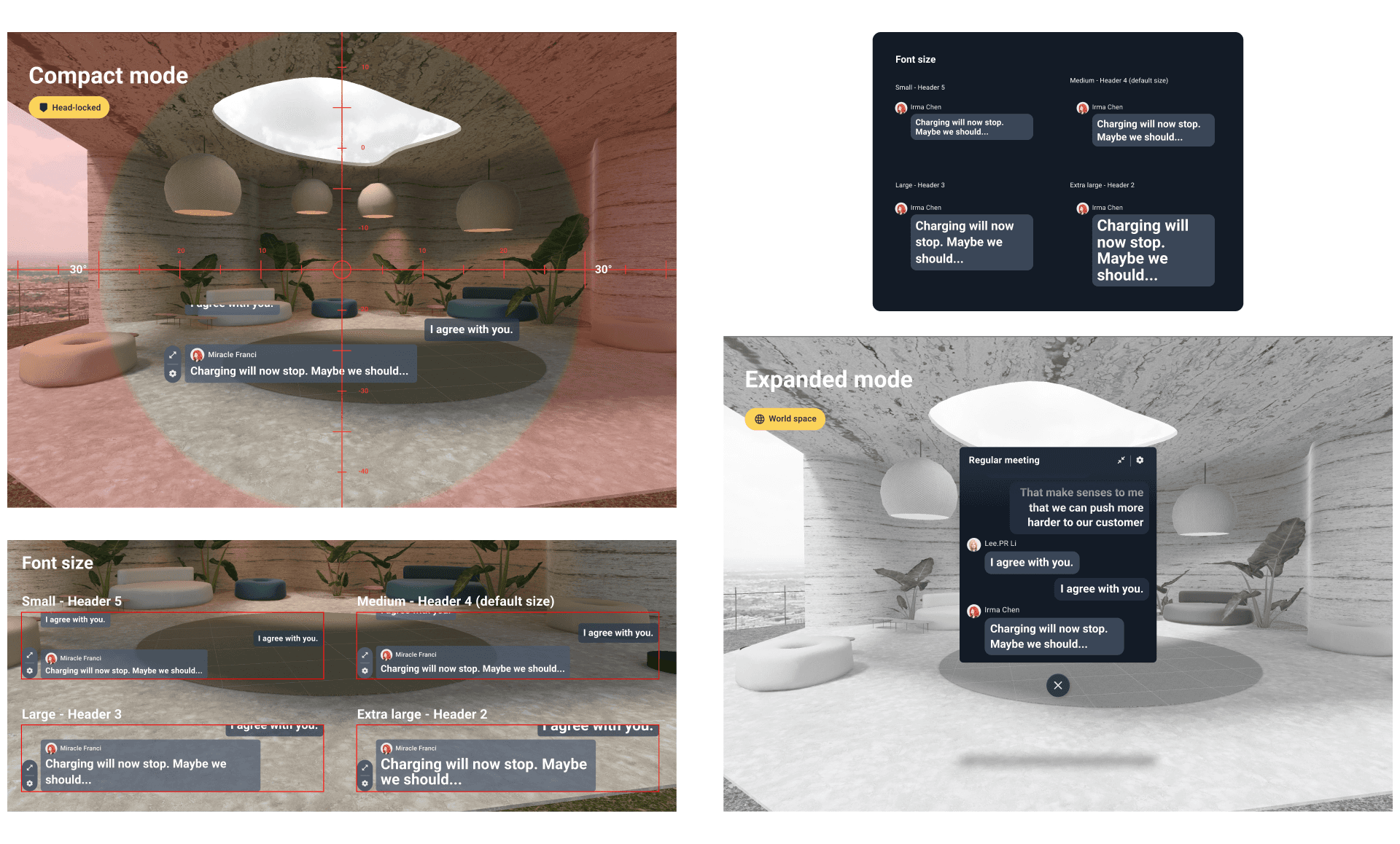
Design verification when testing the language accurate and the flow if engineers follow the design spec.
Chats
Combined text, voice calls, and quick reactions in a single accessible interface for real-time and async communication.
This is a late-production feature. We've noticed that users often ignore messages from colleagues while in the virtual meeting, often having to take off their VR headsets to check in every once in a while. Eventually, we hope to add a feature that allows users to connect with colleagues even in VR without switching between devices, you can message to colleagues when using the product.
CONCLUSION - Key Takeaway
The Key Takeaway
I've learned how to distill ambiguous, second-hand requirements into clear, testable design flows by developing detailed user flows based on inferred needs and validating with key stakeholders.
By grounding decisions in role-based rules and predictable behaviors, I created a foundation that scaled across multiple enterprise scenarios. The experience reinforced my adaptability and ability to deliver clarity from complexity.
I've also learned to keep design consistent and purposeful despite constant requirement shifts. By working closely with cross-functional teams—including product managers, engineers, QA, and the education team—I ensured each feature met enterprise needs while fitting into a cohesive whole. This project strengthened my ability to lead design in evolving, high-stakes environments.